Image
This can be a simple image on the page. It can be a screenshot, a photo (we use iStockPhotos, excluding Editorial images), drawing, etc. When captions are needed for images, keep them short and concise.

The Creative Workflow
Image with Content
This can be a simple image on the page. It can be a screenshot, a photo (we use iStockPhotos, excluding Editorial images), drawing, etc. When captions are needed for images, keep them short and concise.

Today, manufacturers like Pantone sell hardware colorimeters that can easily read your monitor and create an accurate color profile. They are cost effective and truly make your color management environment much more effective.
View the links below to learn more.
Click to Enlarge
When the need arises for a larger image to be viewed than what is on the lecture page, a magnifying glass icon can be placed in the lower left corner of the image. When clicked, the image will appear over the content of the page in a larger size.


Tooltip Rollovers
This type of media has a still image with hotspots coded onto it. When each hotspot is rolled over, a small text bubble appears. This is great for an image that needs to be labeled or described in sections.
Video (single)
One video can be loaded directly onto the lecture page. All videos with audio content must have closed captions or a print transcript. Types of videos include a course or week overview, interviews, demos, presentations, photos with voiceovers, motion graphics, fictional narrative, documentary, etc.
Video Playlist (multiple videos)
Several videos can be loaded directly onto the lecture page. All videos with audio content must have closed captions or a print transcript. Types of videos include a course or week overview, interviews, demos, presentations, photos with voiceovers, motion graphics, fictional narrative, documentary, etc.
Swatches panel part 1
Swatches panel part 2
Tabbed Content
Tabbed content displayed on panels offers the ability to contain images, text, video, audio, and carousels.
You will now quickly explore the color space of an image or layout and understand how it affects printing and viewing. These are the basics of Color Theory with which you should be familiar.


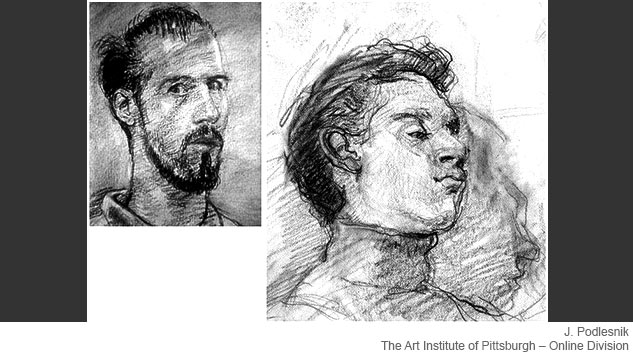
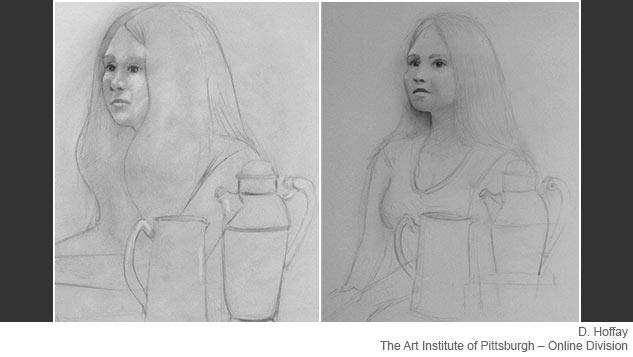
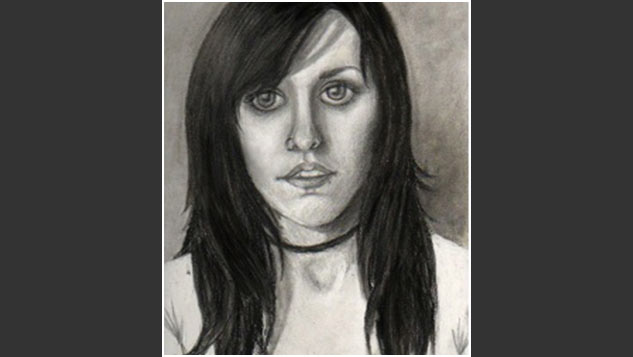
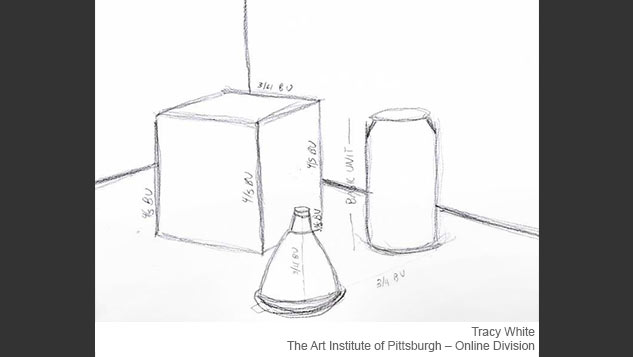


Links/ Resources
These pieces can link to external websites or internal documents (PDF, doc, etc).

Lynda.com Links
We can link to a video course on lynda.com. We then have to specify which specific videos are to be viewed (we cannot link directly to a particular video within the course). The students are signed on automatically from the course.

- Photoshop CC One-on-One: Fundamentals with Deke McClelland
- Opening from Photoshop or Bridge (3m 52s)
- Photoshop CC for Photographers: Fundamentals with Chris Orwig
- Becoming familiar with the Photoshop interface (4m 23s)
- Introducing the Tools panel (1m 58s)
Chapter1. Opening an Image
Chapter 6. Getting Started with Photoshop
- Photoshop CC Essential Training (2013) with Julieanne Kost
- Managing Panels (5m 1s)
Chapter 7. Photoshop Interface Essentials
Flowcharts
Information can be displayed using visual flowcharts.

Quotes
Quotes can be used, but sparingly, and only if directly relevant and meaningful to the course material.
"Don't be afraid to make mistakes. You learn a great deal more from your failures than you ever do your successes."
"Always make sure to use one directional light source on your subject. In essence, keep the room dark and shine one single strong light source on your subject matter."
N. Pendarvis
The Art Institute of Pittsburgh – Online Division
Faculty
Multiple Choice Quizzes
Multiple choice quizzes are non-graded exercises that provide students with an interactive knowledge self-check. There are three types of multiple choice quizzes that we can produce. The first type is the most common, and has only one correct answer. The second type has several correct answers (choose all that apply). The third type provides a checklist with correct/incorrect feedback for each answer. All questions, answers, and feedback will need to be provided by the subject matter expert. The example shown here is the first type.
Paraphrasing does not mean changing a few words here and there; it means reading a source and writing what you understood of it in your own words.
Citing the source of any paraphrased text is important to avoid any allegations that you have plagiarized content.
1: Review the example of attribution and select the paraphrased quote:
2: Review the example of attribution and select the paraphrased quote:
3: Review the example of attribution and select the paraphrased quote. Understanding the intent within the greater context of a message is important to know how to appropriately paraphrase a quote.
Photo Gallery (Nested)
A Photo Gallery that is nested displays sets of several images. It can include subcategories, captions, and text descriptions.
Explore the terms discussed in the learning activities for this milestone and to see how the concepts are used in masterworks.
Balance: A feeling of visual equilibrium created by adjusting the implied weight, attention, or attraction of the different elements within a composition.

David Smith, Cubi XX, 1964. Medium: Welded stainless steel. 111 in (height). Image courtesy of Archivision, Inc.

Bamett Newman, Broken Obelisk, 1963-1969. Medium: Cor Ten steel, 775 x 320 x 320 cm. Image courtesy of Davis Art Images.

Georges Seurat, The Artist in His Studio, 1884. Medium: Conte crayon on paper. 48 x 39 cm. Image courtesy of Davis Art Images.

Vassily Kandinsky, Warm Ensemble, 1939. Medium: Oil on canvas, 34 x 80 cm. Image courtesy of Davis Art Images.
Economy: The streamlining of a composition to the most fundamental, basic elements for clarity of presentation.

Gerrit Thomas Rietveld, Steltmen chair prototype. 1963. Medium: Whitewashed oak. 70 x 48.8 x 44.2 cm. Image courtesy of Davis Art Images.

Mark Rothko. Red on Orange. Medium: Oil on canvas. 176 x 142 cm. Image courtesy of Davis Art Images.

Kazimir Malevich, Dynamic Suprematism No. 57. 1916. Medium: Oil on canvas, 102.4 x 66.9 cm. Image courtesy of Saskia, LTD. Dr. Ronald Wiedenhoeft.

Umberto Boccioni, The Artist's Mother, 1915. Medium: Pencil and watercolor washes on paper, 65.1 x 53 cm. Image courtesy of Metropolitan Museum of Art.
Focal Point: A visual device emphasizing certain elements in a composition to draw attention to a specific area in the piece and to encourage closer scrutiny of the overall work.

Paul Gauguin, Self Portrait, 1889. Medium: Oil on wood, 79.2 x 51.3 cm. Image courtesy of Davis Art Images.

Andy Warhol, Golden Marilyn Monroe, 1962. Medium: Synthetic polymer paint silkscreened and oil on canvas, 211 x 145 cm. Image courtesy of Davis Art Images.

Claude Monet, Boat, 1887. Medium: Oil on canvas, 146 x 133 cm. Image courtesy of Bridgeman Art Library.

Roy Lichtenstein, Hopeless, 1963. Medium: Oil and acrylic on canvas, 111.5 x 111.5 cm. Image courtesy of Saskia, LTD, Dr. Ronald Wiedenhoeft.
Form: 1. The way in which visual elements are organized or arranged to create unity in an artwork. 2. The complete and overall appearance or arrangement of an artwork.

David Smith. Cube XX, 1964. Medium: Welded stainless steel. 111 in (height). Image courtesy of Archivision, Inc.

Vincent Van Gogh, Adeline Ravoux, 1890. Medium: Oil paint on canvas. 50.2 x 50.5 cm. Image courtesy of Davis Art Images.

Gerrit Thomas Rietveld, Steltmen chair prototype. 1963. Medium: Whitewashed oak. 70 x 48.8 x 44.2 cm. Image courtesy of Davis Art Images.

Umberto Boccioni, The Artist's Mother, 1915. Medium: Pencil and watercolor washes on paper, 65.1 x 53 cm. Image courtesy of Metropolitan Museum of Art.

Frank Lloyd Wright, Guggenheim Museum, New York, 1950-59. General view of museum and office wing along Fifth Avenue. Image courtesy of Scholars Resource. Inc. Saskia, LTD. Dr. Ronald Wiedenhoeft.
Graphic Art: Two-dimensional art forms including: drawing, painting, and printmaking. Graphic art also refers to commercial art techniques used in the creation of magazines, newspapers, books, and Web pages.

David Smith, Cubi XX, 1964. Medium: Welded stainless steel, 111 in (height). Image courtesy of Archivision, Inc.

Vincent Van Gogh. Adeline Ravoux, 1890. Medium: Oil paint on canvas, 50.2 x 50.5 cm. Image courtesy of Davis Art Images.

Gerrit Thomas Rietveld, Steltmen chair prototype, 1963. Medium: Whitewashed oak, 70 x 48.8 x 44.2 cm. Image courtesy of Davis Art Images.

Roy Lichtenstein, Takka-Takka, 1962. Medium: Magna/canvas, 173 x 143 cm. Image courtesy of Saskia, LTD, Dr. Ronald Wiedenhoeft.
Harmony: The satisfying quality created by different elements of a composition engaging to form a holistic piece. Harmony is frequently established through repitition of the same or similar visual traits.

Vincent Van Gogh, Pollared Willows and Selling Sun, 1888. Medium: Oil on card, 31.5 x 34.5 cm. Image courtesy of Bridgeman Art Library.

Robert Delaunay, Disks, 1930-1933. Medium: Oil on cardboard, 60 x 60 cm. Image courtesy of Davis Art Images.

Georges Braque, Glass, Violin and Sheet of Music, 1912. Medium: Oil on canvas, 64.5 x 91/5 cm. Image courtesy of Saskia, LTD. Dr. Ronald Wiedenhoeft.
Line: The path created by the focal point of a tool, instrument, or medium as it moves across a surface. A line is visible when it contrasts in value with its surroundings.

Charles Rennie Mackintosh, Graphic Work. Medium: Watercolor wash; stencil. Image courtesy of Archivision Inc.

Vico Magistretti, Golem Chair. 1969. Medium: Wood, 126h x 50w x 54d. Image courtesy of Davis Art Images.

Le Corbusier, Villa Savoye at Poissy, 1928-1931. Terrace and ramp from west. Image courtesy of Scholars Resource, Inc. Saskia, LTD, Dr. Ronald Wiedenhoeft.

Hans Hartung, T.56-21, 1956. Medium: Oil on canvas, 180 x 144 cm. Image courtesy of Scholars Resource, Inc. Saskia, LTD, Dr. Ronald Wiedenhoeft.
Picture Plane: The two-dimensional surface on which the artist executes a pictoral image.

Ellsworth Kelly, Colors for a Large Wall, 1951. Medium: Oil on canvas mounted on 64 wooden panels. 339 x 340 cm. Image courtesy of Davis Art Images.

Robert Mangold, Four Color Frame Painting Number 11, 1985. Medium: Synthetic polymer paint and pencil on four canvasses, 241 x 176 cm. Image courtesy of Davis Art Images.

Richard Diebenkorn, Ocean Park 115, 1979. Medium: Oil paint on canvas, 255 x 206 cm. Image courtesy of Davis Art Images.
Point: A point is defined as an exact location in a two-dimensional space. For a point to be visible, it must have some measure of length and some measure of width.

Rene Magritte, The False Mirror, 1928. Medium: Oil on canvas. 54 x 81 cm. Image courtesy of Davis Art Images.

Laszlo Moholy-Nagy, Q, 1922-1923. Medium: Collage with watercolor and pen and black ink over graphite on carbon paper. 58.9 x 46.3 cm. Image courtesy of Davis Art Images.

Clyfford Still, 1950 B, 1950. Medium: Oil on canvas, 213h x 171w. Image courtesy of Davis Art Images.

Hans Arp, Periods and Commas, 1943. Image courtesy of Saskia, LTD, Dr. Ronald Wiedenhoeft.

Joan Miro, Love, 1926. Medium: Oil on canvas, 146 x 114.5 cm. Image courtesy of Saskia, LTD, Dr. Ronald Wiedenhoeft.
Positive and Negative Space: Positive Space: When a shape appears to occupy space, we call it a positive form or positive space. It is also often referred to as the figure of the design. Negative Space: When a shape is read as being empty or part of the background, we call it a negative form or negative space. This is often referred to as the ground of the design.

Jime Dine, Five Feet of Colorful Tools, 1962. Medium: Oil paint on canvas surmounted by board with 32 tools on books, 141 x 153 x 11 cm. Image courtesy of Davis Art Images.

Vico Magistretti. Golem Chair, 1969. Medium: Wood, 126h x 50w x 54d. Image courtesy of Davis Art Images.

Robert Mangold, Four Color Frame Painting Number 11, 1985. Medium: Synthetic polymer paint and pencil on four canvasses. 241 x 176 cm. Image courtesy of Davis Art Images.

Laszlo Moholy-Nagy, Q, 1922-1923. Medium: Collage with watercolor and pen and black ink over graphite on carbon paper, 58.9 x 46.3 cm. Image courtesy of Davis Art Images.
Shape: A distinct area that is created by a defined or implied line or boundary. It may also be defined by differences in its value, color, or texture that set it apart from its surroundings.

William Baziotes, Dwarf. 1947. Medium: Oil paint on canvas. Image courtesy of Davis Art Images.

Joan Miro, Person Throwing Stone at a Bird. 1926. Medium: Oil paint on canvas. Image courtesy of Davis Art Images.

Walter Gropius, TAC Tea Service. 1969. Medium: Porcelain. Image courtesy of Davis Art Images.

Barnett Newman, Broken Obelisk, 1963-1969. Medium: Cor Ten steel, 775 x 320 x 320 cm. Image courtesy of Davis Art Images.
Unity: The result of bringing the different elements in a composition into an effective relationship between harmony and variety to achieve a quality of completeness.

Robert Delaunay, Disks, 1930-1933. Medium: Oil on cardboard, 60 x 60 cm. Image courtesy of Davis Art Images.

Pablo Picasso, The Lovers, 1923. Medium: Oil on canvas, 130.2 x 97.2 cm. Image courtesy of Davis Art Images.

Juan Gris, Guitar and Clarinet, 1920. Medium: Oil on canvas, 73 x 92 cm. Image courtesy of Davis Art Images.

Georges Braque, Viaduct at L'Estaque, 1908. Medium: Oil on canvas, 72.5 x 59 cm. Image courtesy of Bridgeman Art Library.
Variety: Provides contrast and visual interest to a composition by changing, opposing, expanding, or varying the visual elements in a composition. Variety is the opposite partner to harmony in a design.

Elizabeth Murray, Painter's Progress, 1991. Medium: Oil on canvas in 19 parts, 295 x 236 cm. Image courtesy of Davis Art Images.

David Hockney, Kerby (After Hogarth) Useful Knowledge, 1975. Medium: Oil paint on canvas, 183 x 153 cm. Image courtesy of Davis Art Images.

Vassily Kandinsky, Improvisation 35, 1914. Medium: Oil paint on canvas. 110 x 120 cm. Image courtesy of Scholars Resource, Inc. Saskia, LTD, Dr. Ronald Wiedenhoeft.

Hannah Hoch, Da-Dandy, 1919. Medium: Collage. Image courtesy of Bridgeman Art Library.

 Balance
 Economy
 Focal Point
 Form
Form
 Graphic Art
 Harmony
 Line
Line
 Picture Plane
 Point
Point
 Positive and Negative Space
 Shape
Shape
 Unity
Unity
 Variety
Photo Gallery
This type of Photo Gallery displays one set of several images. It can include captions and text descriptions.
Your portfolio is a representation of your work, professionalism, and style.
Review a sample portfolio created using Adobe Lightroom.

1/340 sec at f/4.5

1/125 sec at f/8.0

1/100 sec f/8.0

1/100 sec at f/7.1

1/500 sec at f/5.0

1/500 sec at f/20

1/320 sec at f/13

1.0 sec at f/5.6

1/250 sec at f/11

1/400 sec at f/11

1/100 sec at f/7.1

1/100 sec at f/7.1

1/45 sec at f/2.8

1/40 sec at f/4.7

1/105 sec at f/2.8

1/70 sec at f/2.8

1/240 sec at f/2.8

1/480 sec at f/2.8

1/90 sec at f/2.8

1/60 sec at f/2.8


Image Comparison
An image comparison provides two similar stacked images that need to be compared. When the student slides the button back and forth, the top image will mask out, revealing the photo below. It is a great way to instantly compare differences between two images.
Drag the red button back and forth to view each image section.


Different shutter speeds affect what an image looks like and how a viewer interprets the meaning behind that image.


When choosing the aperture setting, you need to consider how much of the image should be in focus so as to achieve the desired image that best communicates your ideas. Selective focus will have a different feeling than extreme depth of field.
HTML Content with Images
This includes several small images that illustrate the included text.
But there are some new speech venues that have developed: phones, e-mail, chats, and bulletin boards. These are more indirect (published) forms of speech that have emerged as less formal forms of public speaking and interpersonal interaction.


HTML List
This interactive piece organizes a list of text items into a collapsible format.
- What do you care about?
- What do you know about?
- What experiences have you had?
- What expertise do you have?
- What angers you?
- What inspires you?
- What makes you sad?
- Peers
- Instructors
- Boss
- Children
- To explain
- To entertain
- To persuade
- To describe
- Combinations of reasons